Reviewed by Wallpaper Engine Guide Editorial TeamLast reviewed: September 10, 2026
Pick a project type
- Scene: animate an image with layers, effects, particles, and camera motion.
- Video: import a finished looping video.
- Web: build an interactive HTML/CSS/JavaScript wallpaper.
Scene workflow
- Start a new scene project and import a high-resolution source image.
- Separate foreground and background when you need depth.
- Add subtle motion before adding particles or post-processing.
- Preview at the target resolution and test CPU/GPU usage.
- Add a clear title, thumbnail, tags, and description before Workshop publishing.
Publishing check
Only publish assets you own or have permission to distribute. Credit permitted third-party material according to its license.
Build a useful first Scene wallpaper
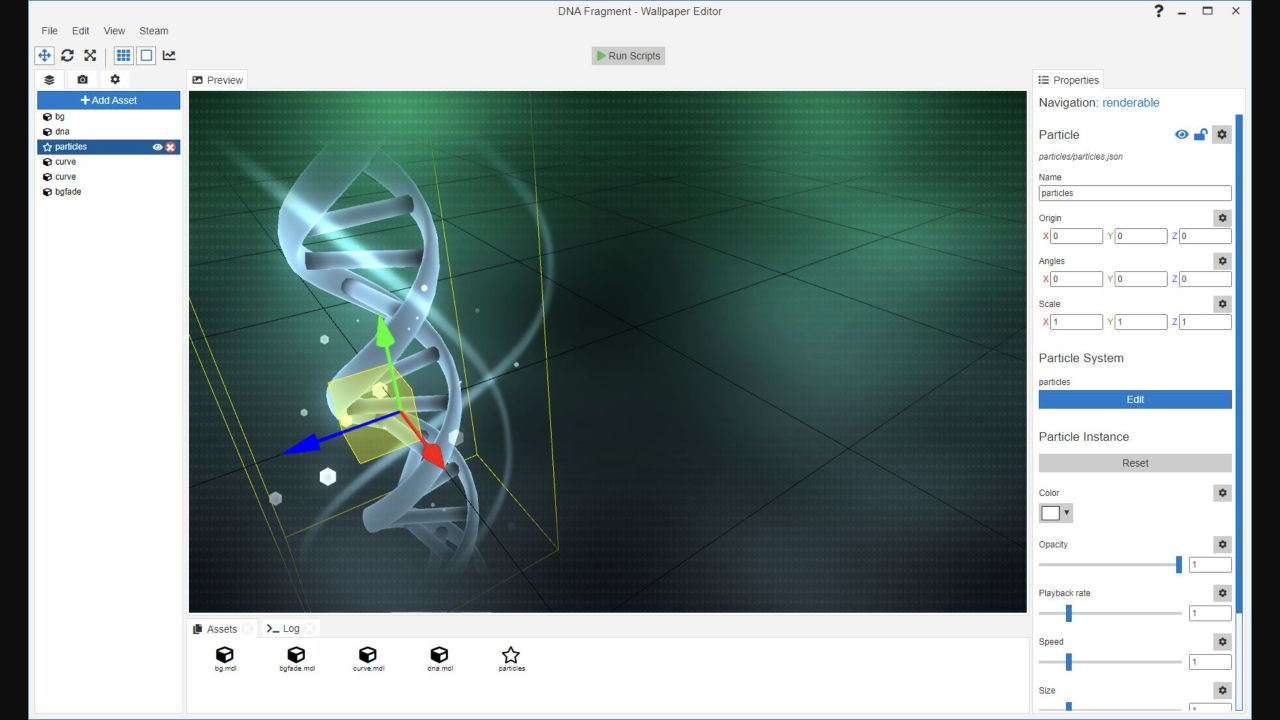
The official editor tutorial recommends starting with an image at a real display resolution, such as 1920×1080, rather than an arbitrary canvas. Import the image through the editor welcome screen. Add one subtle effect, preview it, and save before layering in particles, light shafts, text, or scripts.
- Prepare an image you own and crop it to the target aspect ratio.
- Create a Scene project and confirm project resolution.
- Add gentle motion to one region instead of animating everything.
- Use assets such as images, text, particle systems, sounds, or 3D models only when they support the composition.
- Preview at full resolution and check performance at 30 and 60 FPS.
- Create user properties for options people may want to disable, such as sound or strong particles.
Scene, video, or web: decision table
| Type | Choose it when | Main limitation |
|---|---|---|
| Scene | You want layered animation, particles, parallax, interaction, or audio response. | Requires learning the editor and optimizing effects. |
| Video | You already have a finished loop and do not need interactive controls. | Quality and file size depend on encoding; it is not easily editable. |
| Web | You can build HTML/CSS/JavaScript and need widgets or rich interaction. | Complex code can use more resources or scale poorly. |
For web wallpapers, the official documentation recommends placing all files in a dedicated project folder and bundling required images, scripts, and styles locally. The editor copies the folder into its project directory and creates a project.json file.
Before publishing to Workshop
- Use only art, audio, fonts, and video you have permission to distribute.
- Test 16:9 and at least one ultrawide layout; web projects should scale dynamically.
- Include an accurate title, preview, description, content rating, and controls.
- Offer switches for costly or distracting effects.
- Update the existing project rather than publishing duplicate versions.
- Do not load essential files from remote servers; offline users should still see the wallpaper.
Official editor references
- Getting started with your first Scene wallpaper
- Adding and positioning assets
- Creating a Web wallpaper
Editor guidance reviewed September 10, 2026.